<ObjectStyle> / Element reference
ObjectStyle
The ObjectStyle element in IDML: where it appears (Resources/Styles), its 64 attributes, their values, and how real documents use them.
Definition
A named set of page-item formatting, such as fill, stroke, corners, effects and text-frame options, that frames and shapes apply.
- Lives in
Resources/Styles305- Frequency
- In 305 of the 305 documents of the census (100%), 2026-10-12
- Attributes
- 64 observed, 26 of them vary between documents
- Discussed in
- Object styles, Resource parts, Styles and How the parts reference each other
Structure
Relationships
Inside
RootObjectStyleGroup305ObjectStyleGroup2
Contains
AnchoredObjectSetting271BaselineFrameGridOption271FrameFittingOption271ObjectStyleContentEffectsCategorySettings271ObjectStyleFillEffectsCategorySettings271ObjectStyleObjectEffectsCategorySettings271ObjectStyleStrokeEffectsCategorySettings271Properties271StoryPreference271TextFramePreference271TextWrapPreference271ObjectExportOption266- and 5 more
ObjectStyle sits: the elements that hold it, and the elements it holds. Each number is the documents that show the pairing (census of 2026-10-12, 305 documents).Attributes
| Attribute | Type | Values | Default | Seen in |
|---|---|---|---|---|
| AppliedParagraphStyle# The paragraph style applied, by its Self, such as ParagraphStyle/$ID/NormalParagraphStyle. | reference to ParagraphStyle | any | — | 100% varies in 271 |
| CornerOption# The all-corner effect InDesign writes beside the four per-corner attributes ( None, RoundedCorner, InverseRoundedCorner, InsetCorner, BevelCorner or FancyCorner). InDesign draws corners from the per-corner attributes alone, on page items and object styles: an element that spells its corners only here has square corners. | keyword | None305RoundedCornerInverseRoundedCornerInsetCornerBeveledCornerFancyCorner or a named value | — | 100% |
| CornerRadius# The all-corner size, in points, InDesign writes beside the per-corner radii. It is not read, not even for a per-corner option that has no radius of its own (that corner is 12 pt). | integer or real (pt) | 0 or more | — | 100% varies in 35 |
| EndCap# How the open ends of a stroke finish: ButtEndCap (flat at the end point), RoundEndCap, or ProjectingEndCap (squared off half the stroke weight beyond it). | keyword | ButtEndCap305 | — | 100% |
| EndJoin# How the stroke turns at corners: MiterEndJoin (pointed, the default), RoundEndJoin or BevelEndJoin. | keyword | MiterEndJoin305 | — | 100% |
| FillColor# The swatch that fills the object (for text, its glyphs), by its Self, such as Color/Black. Swatch/None means no fill. | reference to Color and Swatch | any | — | 100% varies in 20 |
| MiterLimit# For pointed corners, how far the point may reach, as a multiple of the stroke weight, before the corner is bevelled instead. | integer | any | — | 100% |
| Name# The name InDesign shows for the object in its panels. References between objects use Self, never the name. | builtin or keyword or text | any | — | 100% varies in 272 |
| Nonprinting# When true, the object shows on screen but is left out of printing and export. | boolean | false305 | — | 100% |
| Self# The object's ID, unique within the document. An attribute that refers to this object holds this value. | reference to ObjectStyle | any | — | 100% varies in 272 |
| StrokeAlignment# Where the stroke sits on the path: centred on it ( CenterAlignment, the default), inside it or outside it. | keyword | CenterAlignment305 | — | 100% |
| StrokeColor# The swatch the stroke is painted with, by its Self. Swatch/None means no stroke. | reference to Color and Swatch | any | — | 100% varies in 271 |
| StrokeType# The stroke style, by its Self, such as StrokeStyle/$ID/Solid or StrokeStyle/$ID/Dashed. | reference to StrokeStyle | any | — | 100% varies in 1 |
| StrokeWeight# The stroke's thickness, in points. | integer or real (pt) | 0 or more | 1 | 100% varies in 271 |
| BasedOn# The style this one inherits from, by its Self. Any setting it leaves out comes from there. | object, string | any | — | 89.2% varies in 10 |
| AppliedNamedGrid# The named grid applied, by its Self: a NamedGrid holding CJK frame-grid settings. n means none. | — | any | — | 88.9% |
| ApplyNextParagraphStyle# When true, the style's paragraph style is applied with its NextStyle chain. | boolean | any | — | 88.9% |
| EnableAnchoredObjectOptions# Whether the anchored object settings are part of the style; when false, applying the style leaves that aspect of the item alone. | boolean | false271true20 | — | 88.9% varies in 20 |
| EnableFill# Whether the fill settings are part of the style; when false, applying the style leaves that aspect of the item alone. | boolean | true271 | — | 88.9% |
| EnableFrameFittingOptions# Whether the frame fitting settings are part of the style; when false, applying the style leaves that aspect of the item alone. | boolean | false271 | — | 88.9% varies in 2 |
| EnableParagraphStyle# Whether the paragraph style settings are part of the style; when false, applying the style leaves that aspect of the item alone. | boolean | any | — | 88.9% |
| EnableStoryOptions# Whether the story options settings are part of the style; when false, applying the style leaves that aspect of the item alone. | boolean | false271true271 | — | 88.9% varies in 271 |
| EnableStroke# Whether the stroke settings are part of the style; when false, applying the style leaves that aspect of the item alone. | boolean | true271 | — | 88.9% |
| EnableStrokeAndCornerOptions# Whether the stroke and corner options settings are part of the style; when false, applying the style leaves that aspect of the item alone. | boolean | true271 | — | 88.9% |
| EnableTextFrameBaselineOptions# Whether the text frame baseline options settings are part of the style; when false, applying the style leaves that aspect of the item alone. | boolean | false271true271 | — | 88.9% varies in 271 |
| EnableTextFrameGeneralOptions# Whether the general text frame options settings are part of the style; when false, applying the style leaves that aspect of the item alone. | boolean | false271true271 | — | 88.9% varies in 271 |
| EnableTextWrapAndOthers# Whether the text wrap and other settings are part of the style; when false, applying the style leaves that aspect of the item alone. | boolean | false271true20 | — | 88.9% varies in 20 |
| FillTint# The fill colour's strength as a percentage, 0–100. -1 means no tint is set, the same as leaving the attribute out. | integer (percent) | 0 to 100 | 100 | 88.9% varies in 11 |
| GapColor# The swatch painted in the gaps of a dashed, dotted or striped stroke. Swatch/None leaves them transparent. | reference to Swatch | any | — | 88.9% |
| GapTint# The gap colour's strength as a percentage, 0–100. -1 means no tint is set. | integer | any | — | 88.9% |
| GradientFillAngle# The direction of a linear gradient fill, in degrees. Used when the fill is a gradient. | integer | any | — | 88.9% |
| GradientStrokeAngle# The direction of a linear gradient stroke, in degrees. Used when the stroke is a gradient. | integer | any | — | 88.9% |
| KeyboardShortcut# The keyboard shortcut that applies the style in InDesign, encoded as a list of numbers. An interface setting; it does not change the text. | list of numbers | any | — | 88.9% |
| LeftLineEnd# The arrowhead at the path's start: None, or one of InDesign's line ends such as TriangleArrowHead. | keyword | None271 | — | 88.9% |
| OverprintStroke# When true, the stroke prints over the inks beneath it instead of knocking them out. | boolean | false271 | — | 88.9% |
| RightLineEnd# The arrowhead at the path's end: None, or one of InDesign's line ends such as TriangleArrowHead. | keyword | None271 | — | 88.9% |
| StrokeTint# The stroke colour's strength as a percentage, 0–100. -1 means no tint is set, the same as leaving the attribute out. | integer (percent) | 0 to 100 | — | 88.9% varies in 1 |
| BottomLeftCornerOption# The effect on the bottom-left corner, in CornerOption's tokens; a bare Rounded or Inset is no effect. With the other three per-corner attributes, this is what InDesign draws. | keyword | None270 | — | 88.5% |
| BottomLeftCornerRadius# The size of the bottom-left corner's effect, in points; 12 when the corner has an effect and no radius. | integer | any | — | 88.5% |
| BottomRightCornerOption# The effect on the bottom-right corner, in CornerOption's tokens; a bare Rounded or Inset is no effect. With the other three per-corner attributes, this is what InDesign draws. | keyword | None270 | — | 88.5% |
| BottomRightCornerRadius# The size of the bottom-right corner's effect, in points; 12 when the corner has an effect and no radius. | integer | any | — | 88.5% |
| EnableTextFrameAutoSizingOptions# Whether the text frame auto-sizing settings are part of the style; when false, applying the style leaves that aspect of the item alone. | boolean | false270true267 | — | 88.5% varies in 267 |
| TopLeftCornerOption# The effect on the top-left corner, in CornerOption's tokens; a bare Rounded or Inset is no effect. With the other three per-corner attributes, this is what InDesign draws. | keyword | None270 | — | 88.5% |
| TopLeftCornerRadius# The size of the top-left corner's effect, in points; 12 when the corner has an effect and no radius. | integer or real | any | — | 88.5% varies in 1 |
| TopRightCornerOption# The effect on the top-right corner, in CornerOption's tokens; a bare Rounded or Inset is no effect. With the other three per-corner attributes, this is what InDesign draws. | keyword | None270 | — | 88.5% |
| TopRightCornerRadius# The size of the top-right corner's effect, in points; 12 when the corner has an effect and no radius. | integer | any | — | 88.5% |
| EnableExportTagging# Whether the export tagging settings are part of the style; when false, applying the style leaves that aspect of the item alone. | boolean | false266true19 | — | 87.2% varies in 19 |
| EnableObjectExportAltTextOptions# Whether the alt text export settings are part of the style; when false, applying the style leaves that aspect of the item alone. | boolean | false266true19 | — | 87.2% varies in 19 |
| EnableObjectExportEpubOptions# Whether the EPUB export settings are part of the style; when false, applying the style leaves that aspect of the item alone. | boolean | false266true19 | — | 87.2% varies in 19 |
| EnableObjectExportTaggedPdfOptions# Whether the tagged PDF export settings are part of the style; when false, applying the style leaves that aspect of the item alone. | boolean | false266true19 | — | 87.2% varies in 19 |
| EmitCss# When true, EPUB and HTML export writes CSS for the class this style is exported with. It does not change the page. | boolean | true265 | — | 86.9% |
| ArrowHeadAlignment# Whether arrowheads stop at the path's ends or extend beyond them; every document in the census uses InsidePath. | keyword | InsidePath85 | — | 27.9% |
| EnableTextFrameFootnoteOptions# Whether the text frame footnote settings are part of the style; when false, applying the style leaves that aspect of the item alone. | boolean | false85true71 | — | 27.9% varies in 71 |
| LeftArrowHeadScale# The size of the start arrowhead, as a percentage of its natural size. | integer | any | — | 27.9% |
| RightArrowHeadScale# The size of the end arrowhead, as a percentage of its natural size. | integer | any | — | 27.9% |
| EnableTransformAttributes# Whether the transform settings are part of the style; when false, applying the style leaves that aspect of the item alone. | boolean | false84true16 | — | 27.5% varies in 16 |
| IncludeClass# | boolean | true84 | — | 27.5% |
| ExtendedKeyboardShortcut# | list of numbers | any | — | 24.3% |
| EnableTextFrameColumnRuleOptions# Whether the text frame column rule settings are part of the style; when false, applying the style leaves that aspect of the item alone. | boolean | false67true47 | — | 22% varies in 47 |
| OverprintFill# When true, the fill prints over the inks beneath it instead of knocking them out. | boolean | false18 | — | 5.9% |
| EnableFlexLayoutAttributes# Whether the flex layout settings are part of the style; when false, applying the style leaves that aspect of the item alone. | boolean | false6 | — | 2% |
| EpubAriaRole# | — | any | — | 2% |
| EpubAriaLabel# | — | any | — | 0.3% |
| EpubAriaLabelSourceType# | keyword | any | — | 0.3% |
ObjectStyle (census of 2026-10-12, 305 documents). Seen in is the share of the 305 documents with a ObjectStyle that set the attribute; varies in counts those that hold a value other than the most common one. Values are listed, with the documents using each, only where documents use a small closed set. A name with a dotted underline links to the chapter that explains it. How the census counts.Visualization
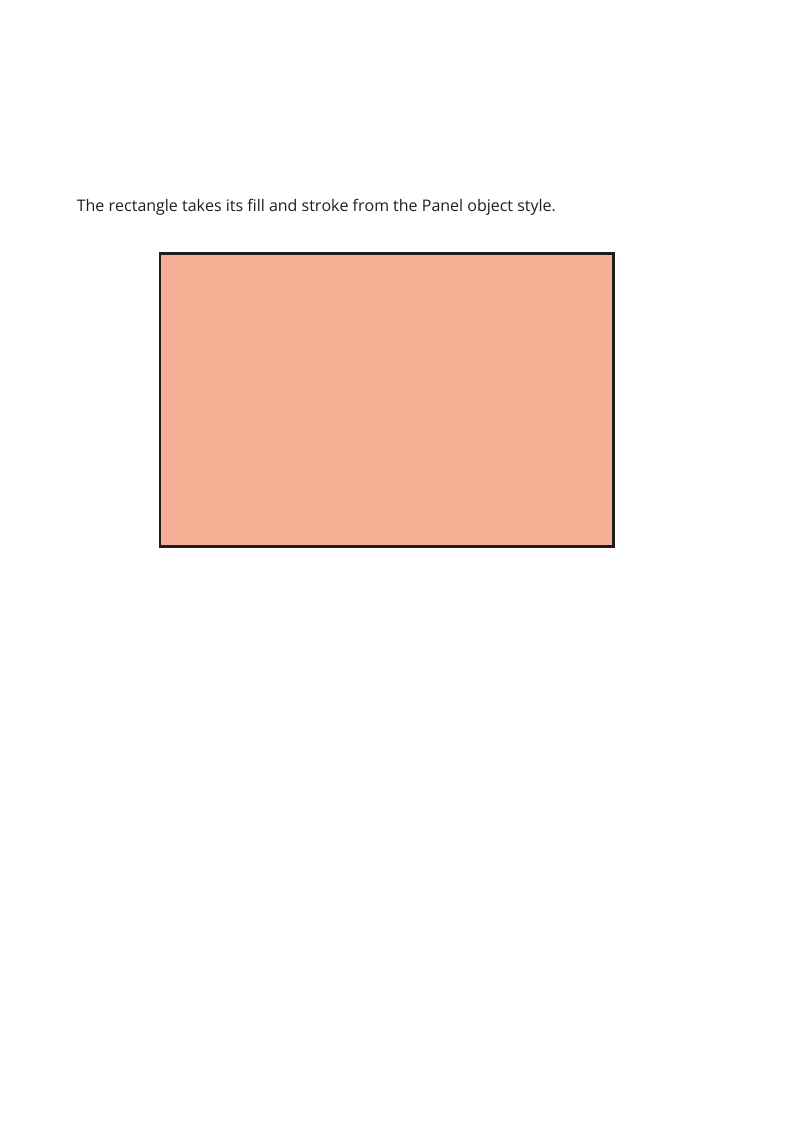
ObjectStyle in the example “A rectangle formatted by an object style”, page 1, as InDesign 20.0.1.32 exports it (checked 2026-10-11). The example, with its source, is in Object styles.Behavior
A rectangle with no fill or stroke of its own applies an object style; the style, based on [None], supplies a 40 % red fill and a 2 pt black stroke.
Shown, with its source and a live render, in Object styles.
Evidence
- Observed
- In 305 of 305 documents (100%):
Resources/Styles305. - Census
- Taken 2026-10-12 over 305 documents (34 written by test generators, 267 from template packs, 4 samples). It observed 281 elements; this reference gives 195 of them an entry. How the census counts
- Counts are
- Documents, not occurrences. Values are published only for small closed sets; numbers only by kind.
- InDesign checks
- A rectangle formatted by an object style: Opened by InDesign 20.0.1.32 with no missing font or link, saved back as IDML and exported to PDF (1 page), 2026-10-11.
Paged support
What Paged, one implementation of the format, does with ObjectStyle. Nothing in this panel is part of the format; the reference above holds for any reader.
As of: scriptable paths from engine release v0.77.0; parse and write from the importer and exporter at paged 6347aa9, read 2026-11-24; render from the capability record exported 2026-11-24.
- Parse
- Reads 20 of the 64 attributes
- Render
- No feature of the capability record names this element; examples compared with InDesign below
- Edit
- 8 attributes map to a scriptable path for
paged.set - Write
- Writes 9 of the 64 attributes on IDML export
By attribute
Rendered against InDesign
- A rectangle formatted by an object style: mean colour difference 2.066 ΔE, structural similarity 0.994, same fonts on both sides (checked 2026-10-11).
Parse and write come from the idml-coverage record, which reads the importer and exporter source; each mark links to the line. Render is recorded per feature, not per attribute. A feature is listed when its title in the record names ObjectStyle.
ObjectExportOption
The ObjectExportOption element in IDML: where it appears (Resources/Styles), its 32 attributes, their values, and how real documents use them.
ObjectStyleContentEffectsCategorySettings
The ObjectStyleContentEffectsCategorySettings element in IDML: where it appears (Resources/Styles), its 10 attributes, their values, and how real documents use